
Download Rain Alarm – free rain detection software for Windows
Overview
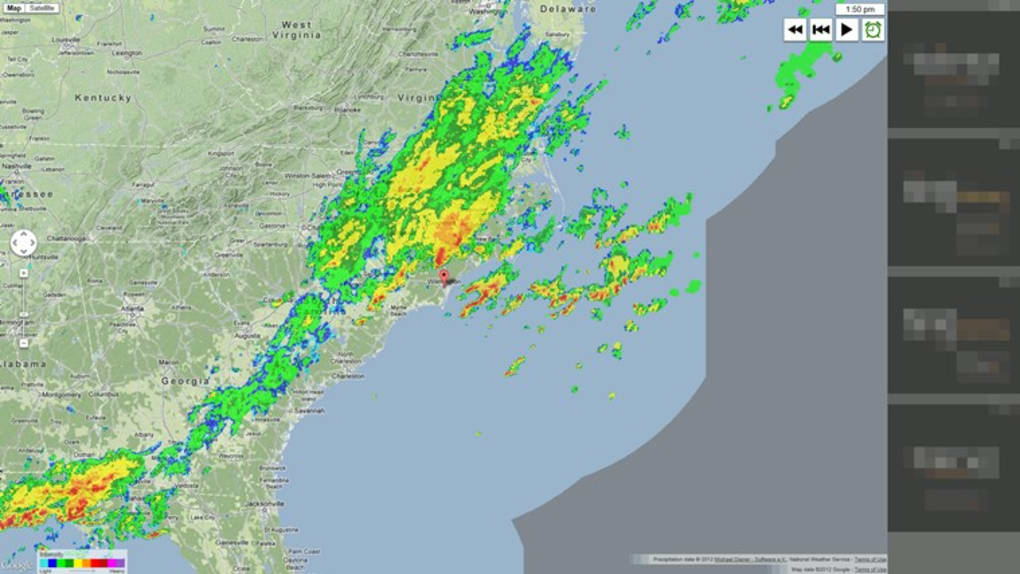
Rain Alarm is a lightweight, free home‑and‑hobby utility that alerts you when precipitation is expected in your area. Developed by Michael Diener, the program belongs to the Meteorology sub‑category and has been part of the Windows software catalog since 2012. Although the last official update was released on 11 May 2012, the tool still enjoys a modest but steady user base, especially in Spain where it is heavily used for gardening, outdoor events, and hobbyist weather monitoring. The application runs on Windows 8 and earlier versions, including Windows 10, and offers multilingual support in English, Spanish, and German. Because it is completely free, Rain Alarm provides a cost‑effective alternative to paid weather‑alert services, making it an attractive option for homeowners, hobbyists, and anyone who needs a quick heads‑up before stepping outside.
Key Features & Benefits
- Real‑time rain detection based on online meteorological data sources.
- Customizable alert sounds and desktop notifications.
- Language options: English, Spanish, German.
- Minimal system footprint – runs silently in the background.
- Easy‑to‑read interface with a simple start/stop toggle.
- Supports multiple geographic locations, allowing you to monitor more than one area at a time.
- Free for personal and hobby use, with no hidden fees or subscription requirements.
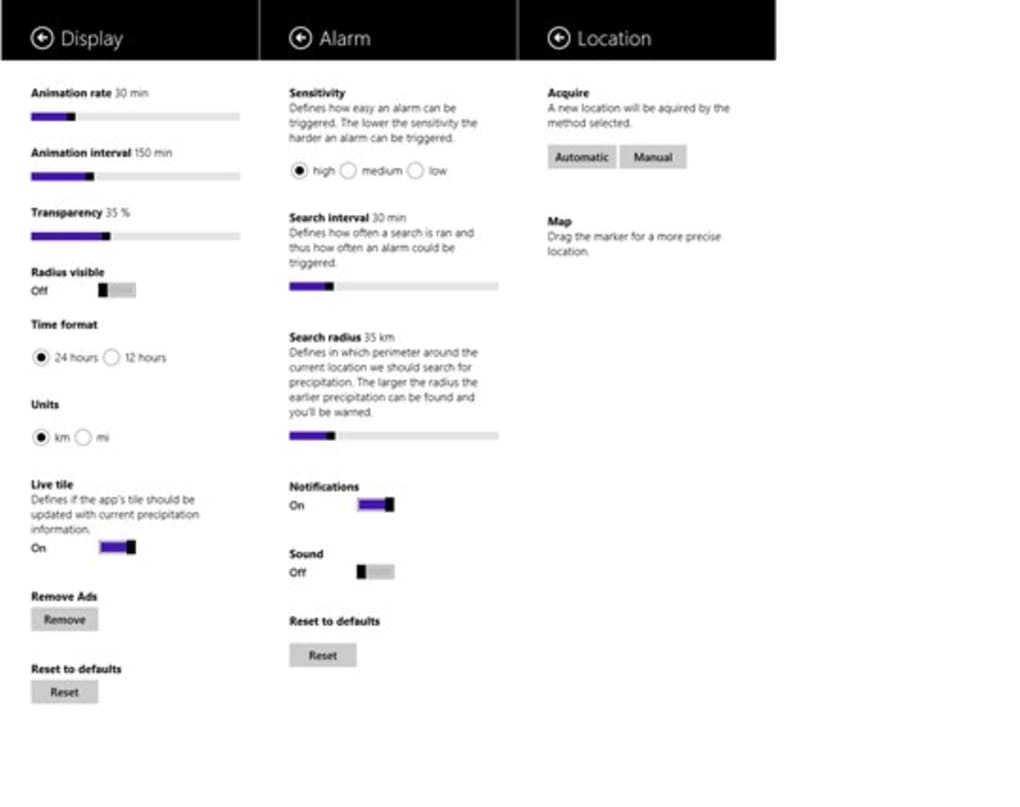
Rain Alarm’s simplicity is its biggest selling point. Unlike complex weather stations that require hardware, this software pulls data from reliable online services and converts it into a clear, actionable alert. Users can configure the sensitivity of the alarm, choosing to be notified only when rain is imminent or when any precipitation (including drizzle or snow) is forecast.
The customizable sound options let you select a gentle chime for indoor use or a louder alert for outdoor workshops. Because the program runs in the background, it consumes negligible CPU and memory, making it suitable for older machines or laptops that need to conserve battery life. The multilingual interface expands its reach, especially in Spanish‑speaking regions where the tool has gained a strong following for garden irrigation planning and outdoor sports.
Installation, Usage & Compatibility
Step‑by‑step Installation
- Download the Rain Alarm installer from the official download page.
- Run the .exe file and follow the on‑screen wizard – the process takes less than two minutes.
- Choose your preferred language (English, Spanish, or German) during setup.
- Accept the license agreement and select the installation folder (default is C:\Program Files\RainAlarm).
- Finish the installation and launch the program from the Start menu or desktop shortcut.
First‑time Configuration
Upon launch, Rain Alarm prompts you to enter the city or postal code you want to monitor. You can add multiple locations by clicking the “Add Location” button. Next, select the alert type – you may choose a pop‑up window, a system tray balloon, or an audible sound. The sensitivity slider lets you decide how much precipitation triggers an alert; moving it toward “High” will only notify you of heavy rain, while “Low” includes light drizzle.
Operating System Support
Rain Alarm is built for Windows 8, Windows 7, Windows Vista, and Windows XP, and it runs without issues on Windows 10 despite the lack of a dedicated update for that version. The program is a 32‑bit application, so it works on both 32‑bit and 64‑bit Windows installations. Because the software does not rely on any modern Windows APIs, it remains compatible with older hardware, making it an excellent choice for legacy PCs that still serve a household or workshop.
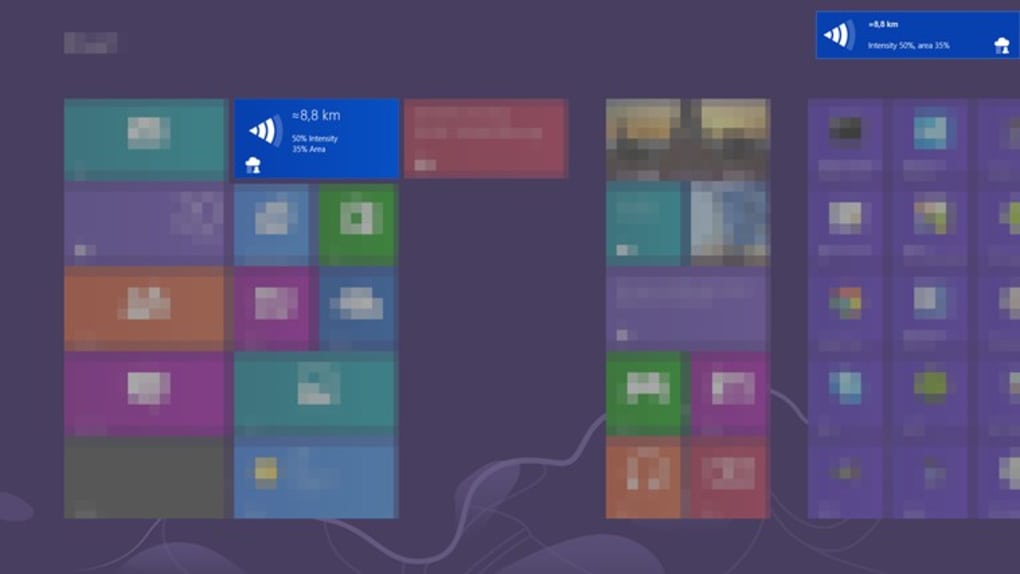
After configuring your locations and alert preferences, the application automatically checks the weather service every 15 minutes. If rain is detected, you receive an instant notification, allowing you to close windows, cover equipment, or postpone outdoor activities. The interface also provides a log view where you can see past alerts and the exact time rain was detected, which is useful for keeping records of garden watering schedules or outdoor event planning.
Pros, Cons & Frequently Asked Questions
Pros
- Completely free – no subscription or hidden costs.
- Lightweight and fast; negligible impact on system performance.
- Multilingual support broadens accessibility.
- Simple, intuitive UI that requires no technical expertise.
- Customizable alerts allow for personal preferences.
Cons
- Last official update was in 2012, so the UI feels dated.
- Relies on external weather services; if the source changes its API, alerts may stop working until a patch is released.
- No mobile companion app – limited to Windows desktops.
- No advanced forecasting features such as hourly rain probability graphs.
FAQ
-
Is Rain Alarm safe to install?
Yes. The installer is digitally signed by the developer, and the program does not contain any adware or telemetry. It only accesses public weather data.
-
Can I use Rain Alarm on Windows 10?
Absolutely. Although the software was originally released for Windows 8 and earlier, it runs perfectly on Windows 10 in compatibility mode.
-
Does Rain Alarm work offline?
No. The application needs an internet connection to fetch the latest weather data from its online sources.
-
Can I monitor more than one location?
Yes. The program allows you to add multiple cities or postal codes, each with its own alert settings.
-
Is there a way to customize the alert sound?
Rain Alarm includes a few built‑in sounds, and you can also point the program to a custom .wav file through the Settings menu.
Conclusion & Call to Action
Rain Alarm remains a solid, no‑cost solution for anyone who wants immediate rain notifications without the hassle of complex weather stations or subscription services. Its lightweight design, multilingual interface, and straightforward configuration make it especially suitable for hobbyists, gardeners, and small‑scale event planners. While the lack of recent updates and the absence of a mobile app may limit its appeal for power users, the core functionality still delivers reliable alerts that can protect equipment, prevent wet‑footed mishaps, and help you plan outdoor activities with confidence.
If you are looking for a free, secure, and easy‑to‑use rain detection tool for Windows, download Rain Alarm today and start receiving instant precipitation alerts right on your desktop. Click the download button below, follow the quick installation steps, and enjoy peace of mind the next time the clouds gather.







